Settings
Configure the dashboard page, branding, colors, pagination, and AI from WooCommerce → StoreSuite.
Your team works in the frontend dashboard; you configure it from WooCommerce → StoreSuite in wp-admin. The settings app has five tabs - General, Appearance, Pagination, AI, and Changelog - each with its own save button.
General
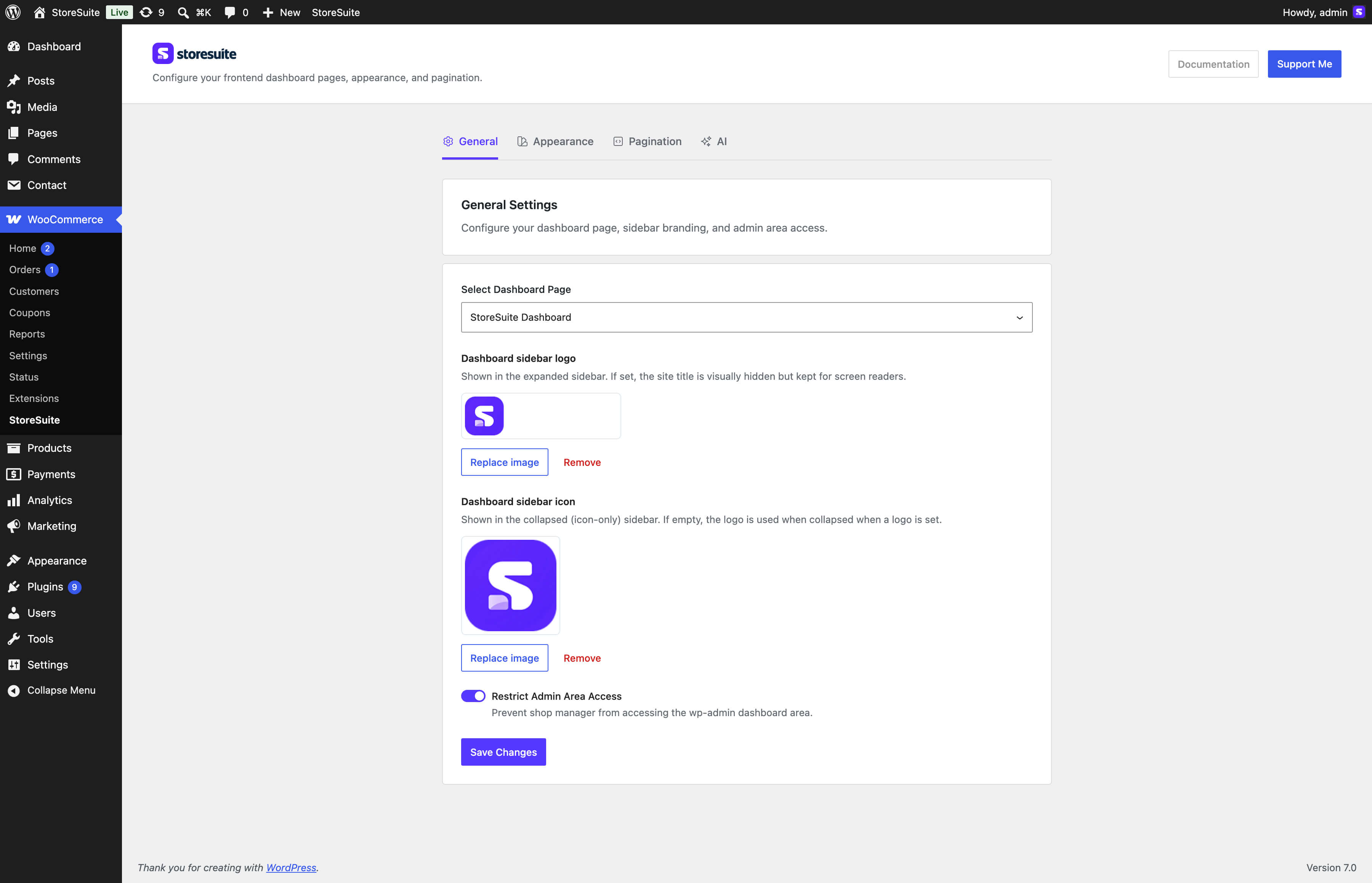
- Select Dashboard Page - which page hosts the dashboard. StoreSuite creates and selects one on activation; point it elsewhere any time.
- Dashboard sidebar logo - shown in the expanded sidebar. When set, the site title is visually hidden but kept for screen readers.
- Dashboard sidebar icon - shown when the sidebar is collapsed to its icon-only rail. Leave it empty to reuse the logo.
- Restrict Admin Area Access - prevents shop managers from reaching wp-admin at all; they land on the frontend dashboard instead. The WP Dashboard sidebar link hides itself for non-administrators when this is on.
Appearance
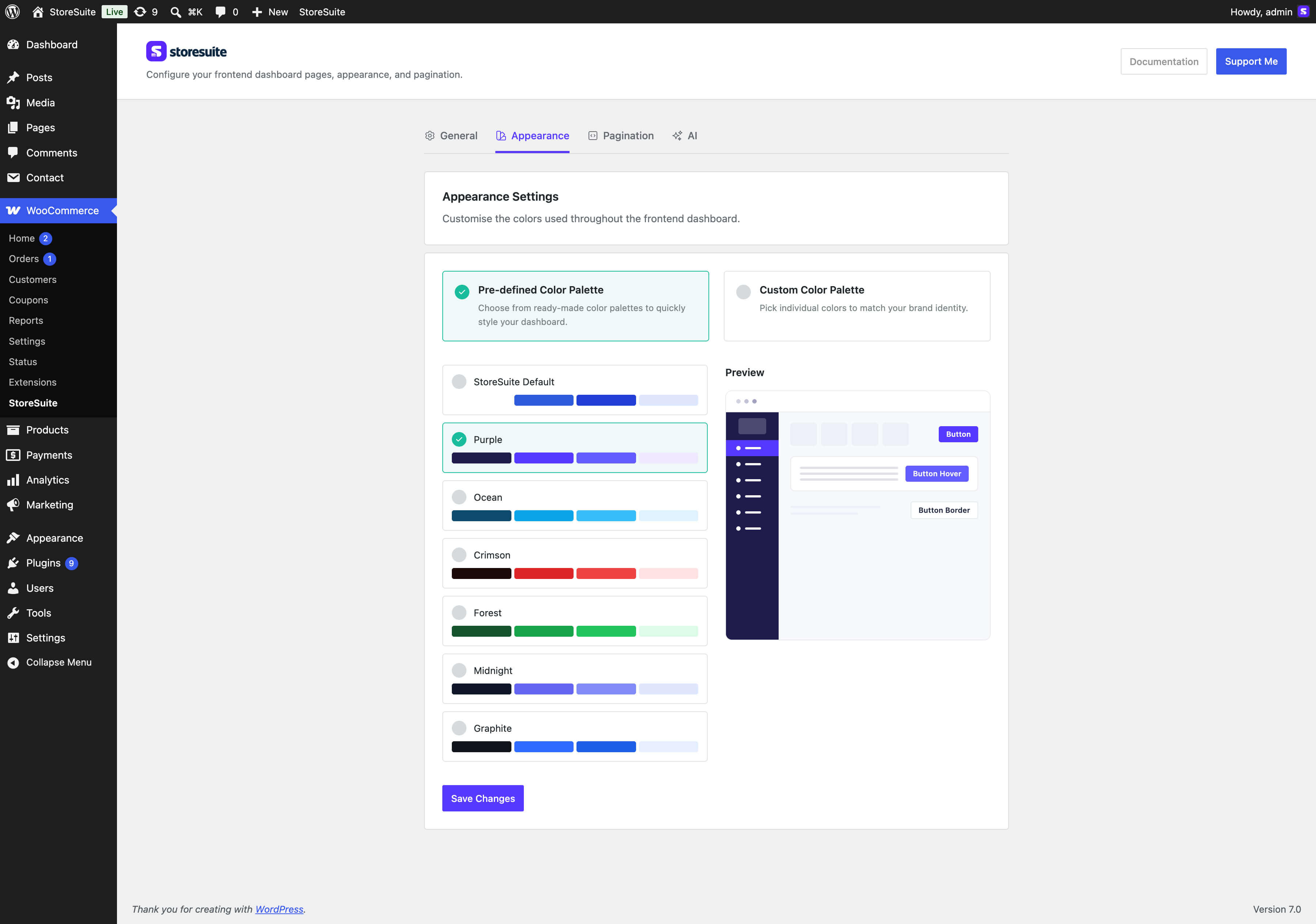
Two modes, with a live preview panel beside them:
- Pre-defined palette - StoreSuite Default, Purple, Ocean, Crimson, Forest, Midnight, or Graphite.
- Custom palette - individual pickers for button text/background and their hover states, normal/title/lite text, icons, the sidebar (menu text, background, active and hover states, border), general borders, and lite backgrounds. Pick the dark or light logo variant so your branding stays legible against the sidebar.
Saving recolors the whole frontend dashboard immediately.
Pagination
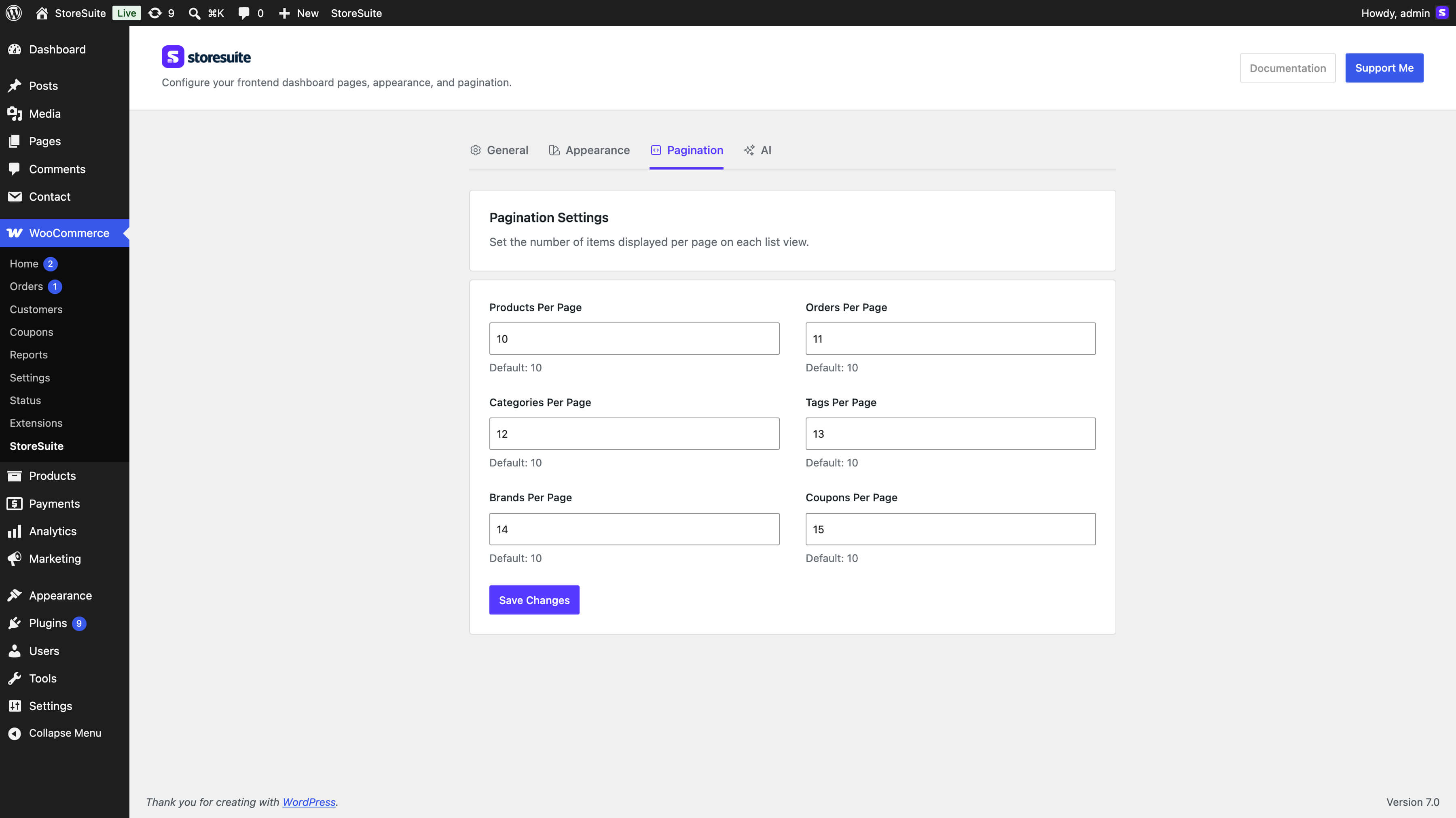
Items per page for Products, Orders, Categories, Tags, Brands, and Coupons. Each defaults to 10; leave a field blank to keep the default.
AI
Per-field AI toggles and custom system instructions - documented in AI Studio.
Changelog
The plugin’s release history, paginated with a Load more button, so you can see what changed without leaving the settings screen.
Tip
Setting up for a client? Upload their logo, pick a matching palette, and turn on Restrict Admin Area Access - they get a branded store manager that never shows them the WordPress admin.